
Text and number rules
Format text, paragraphs, numbers, fills, borders, and text direction
Select the area you want to format, then add a rule. Activate only the properties you want that rule to control.
#Font (character style) rule
Use Font for character formatting across a target area. You can also find it by searching for aliases such as Bold, Italic, Underline, Size, Style, or Color.
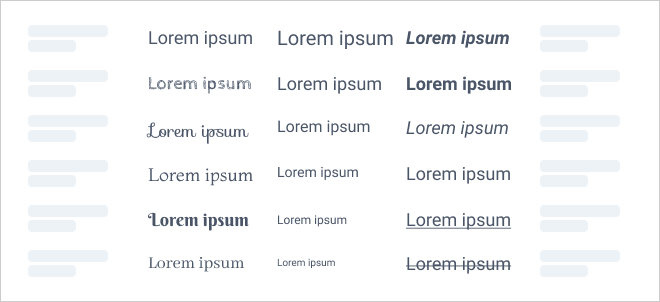
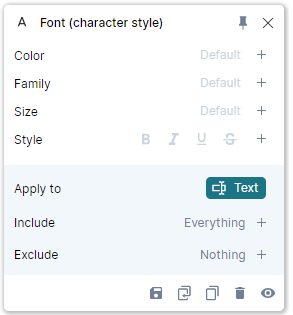
- Color sets text color.
- Family overrides the font from the slide master.
- Size sets the font size.
- Style controls bold, italic, underline, and strikethrough.
Activating Style with every toggle off removes those styles from the target. Leaving Style in Default preserves them.
Font rule settings
Fonts must be installed on your computer. If a font is marked missing, see Font troubleshooting.
#Paragraph style rule
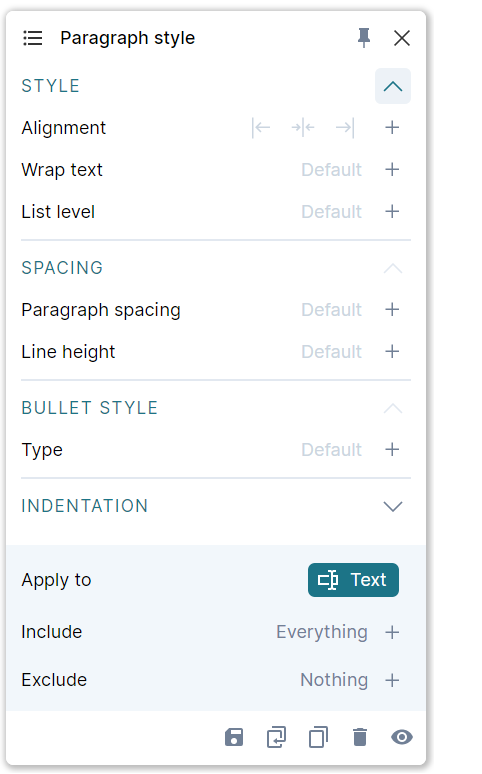
Use Paragraph style for the layout of paragraphs, such as adding a bullet to every paragraph after the first.
| Property | What it controls |
|---|---|
| Style | Left, center, or right alignment; wrapping; indentation level |
| Spacing | Space before and after paragraphs and line height |
| Bullet style | Bullet type and the distance between the bullet and the text |
| Indentation | Left and right indent, first-line indent, and hanging indent |
Paragraph alignment affects text. The Alignment rule can also position graphics.
Paragraph style settings
#Number format rule
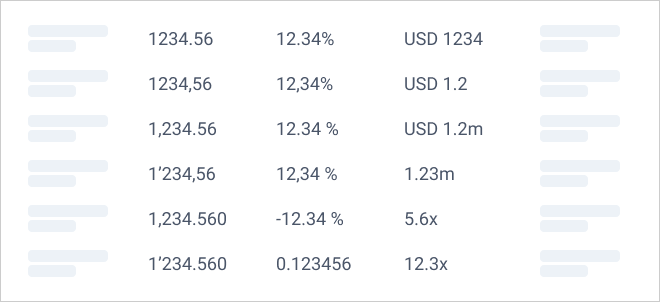
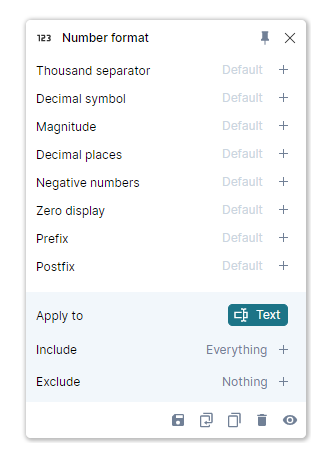
Change how numbers appear without changing their underlying values. For Excel-linked objects, the source workbook's number formats are the starting point.
| Property | Example or use |
|---|---|
| Thousand separator | 10,000,000, 10.000.000, or 10 000 000 |
| Decimal symbol | Period or comma |
| Magnitude | Display 4,300,000 as 4.3 in millions, or a share as a percentage |
| Decimal places | Control displayed precision |
| Negative numbers | Minus sign, parentheses, or absolute values |
| Zero display | 0, a dash, or a blank |
| Prefix / Postfix | Add text such as USD or (est.) |
Number format settings
For calculated totals and percentages, see Formulas in the Data Editor.
#Fill rule
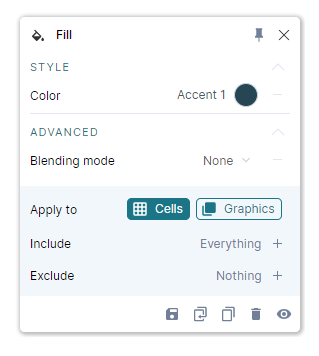
Use Fill to color cells, shapes, icons, and chart elements such as bars, lines, or funnels. Use the Font rule for text color.

Choose Cells or Graphics in Apply to, then activate Color. Theme colors display their theme name; other colors display a hexadecimal code.
Blending mode controls how the color combines with the background. The default None applies the chosen color directly. For several value-dependent color conditions, use Fill conditional.
Fill rule settings
#Border rule
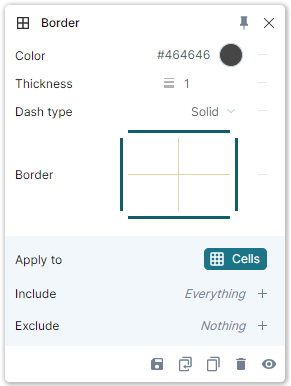
Use Border to draw lines between or around Visual Grid cells. Set the line Color, Thickness, and Dash type. Click the lines in the border preview to enable the edges you want.
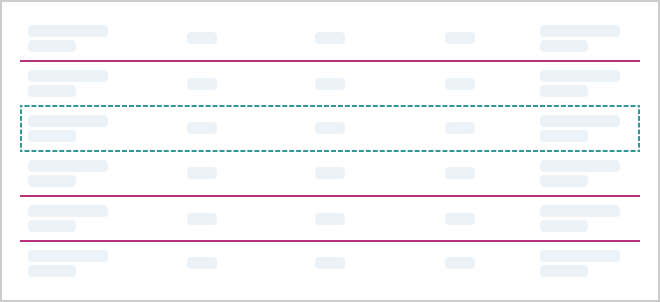
Border rule settings
#Text rotation rule
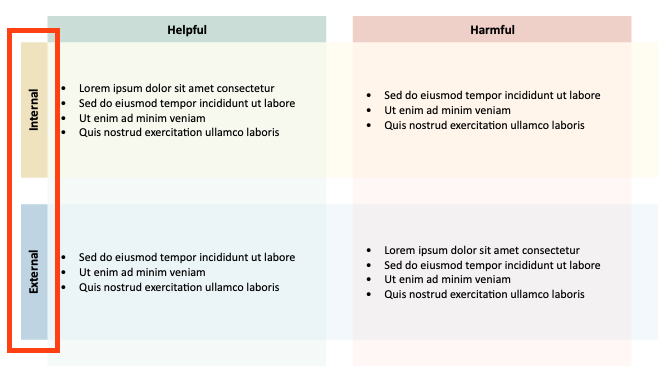
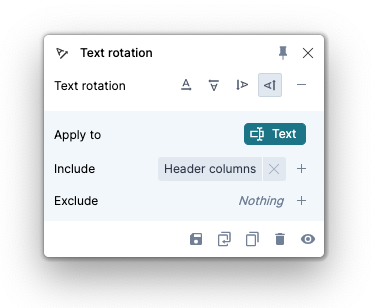
Use Text rotation for labels that need a different reading direction, such as narrow headers or side labels in a table. Choose the desired direction in the rule settings.
Text rotation settings
This rule applies to text inside a Visual Grid. For chart-axis label limitations, see Charts.